Apps

Apps for XE

Hold and send XE in a browser or on your phone, sign with a Ledger or an offline phone, run a node, or let your AI pay.

Hold and use XE

From a browser tab to keys that never go online. The easiest first.
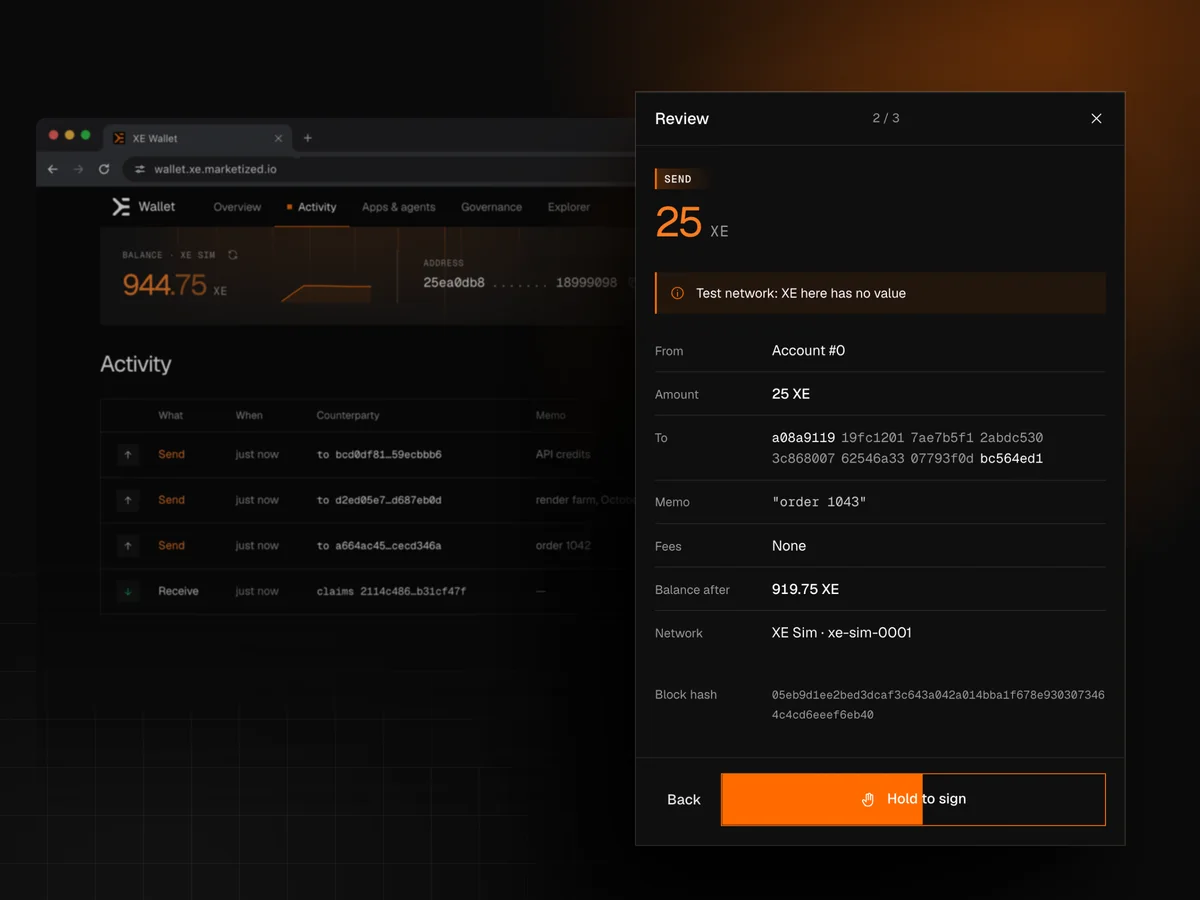
  1. The Web Wallet in a browser: its activity behind, and in front the review of a 25 XE payment, half-way through Hold to sign.

    XE Web Wallet

    A wallet in a browser tab.

    Best for trying XE.

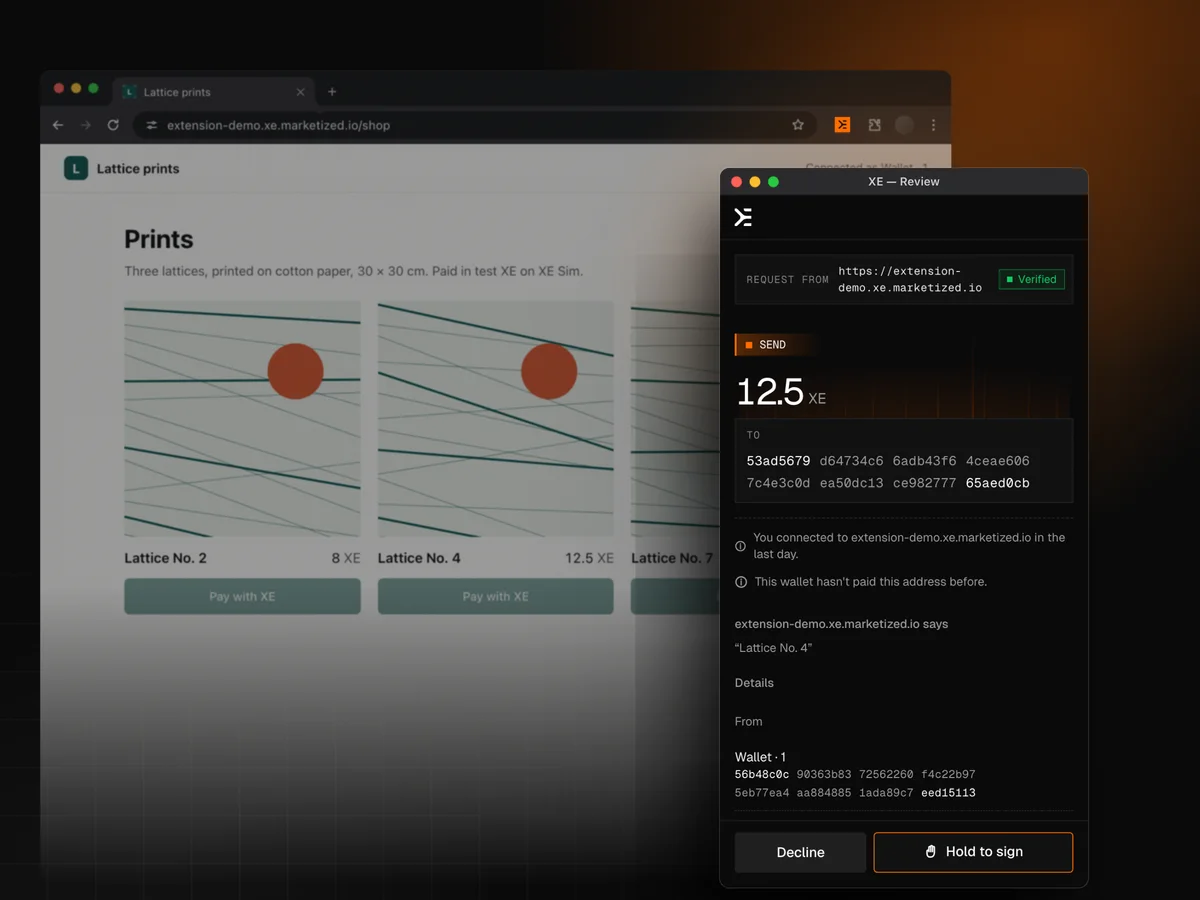
  2. A print shop in the browser asks for 12.5 XE; the XE extension's own review window shows the payee and Hold to sign.

    XE extension

    Approve payments from your toolbar.

    Best for paying on websites.

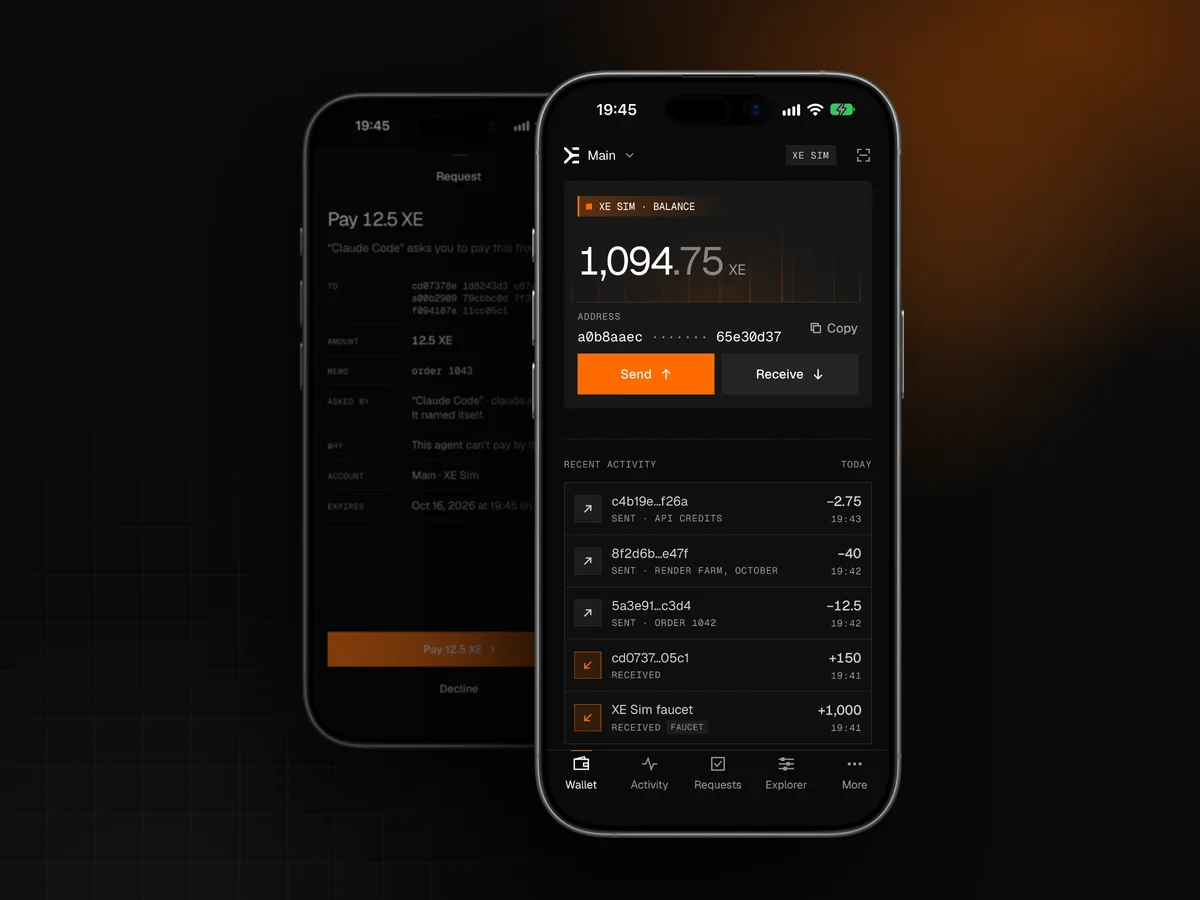
  3. Two iPhones: XE Wallet's home with a balance of 1,094.75 XE and five payments, and behind it Claude Code's request to pay 12.5 XE.

    XE Wallet for iPhone and Android

    XE on your phone, approved with Face ID.

    Best for everyday spending and your AI agents.
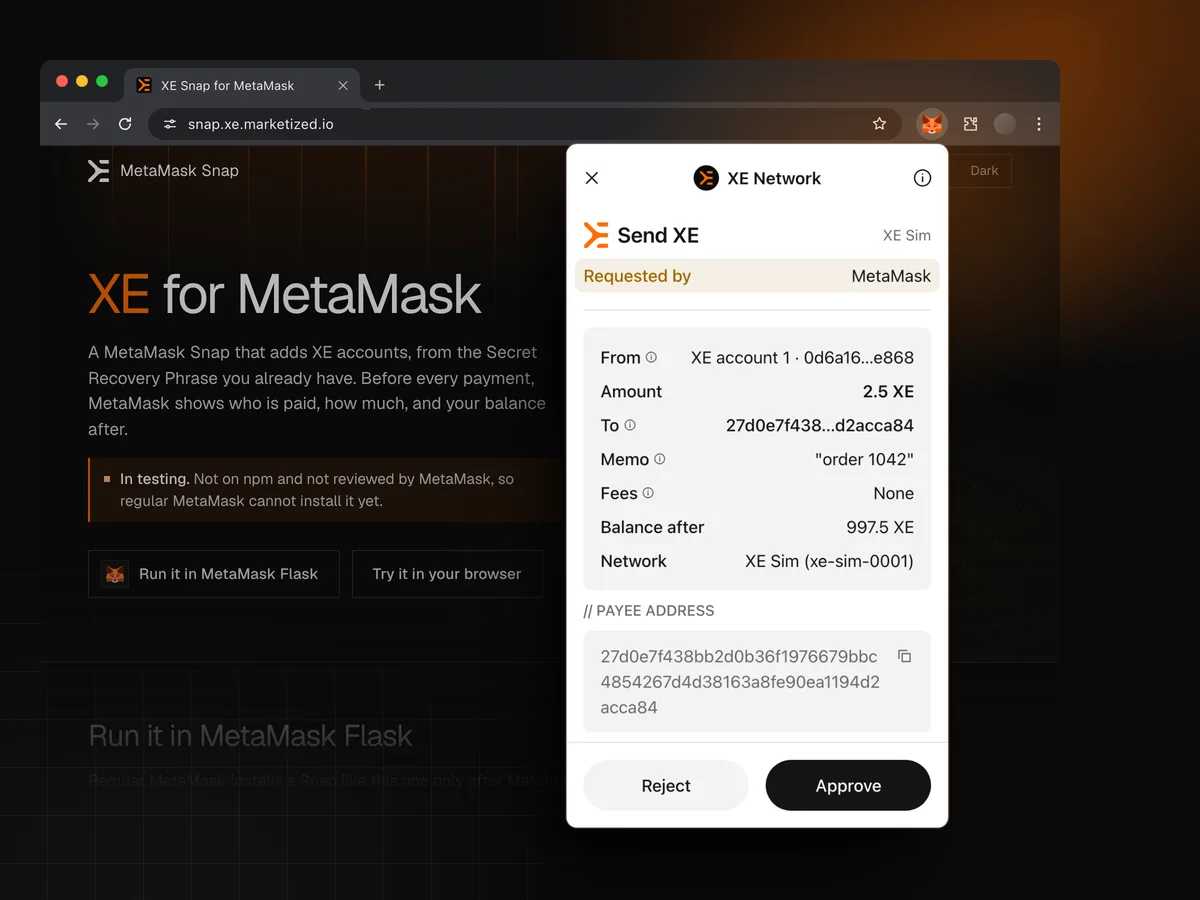
  4. The XE Snap's site in a browser, and over it the wallet popup asking to send 2.5 XE for order 1042, with Reject and Approve.

    MetaMask Snap

    XE accounts inside MetaMask.

    Best for MetaMask users who build (Flask for now).

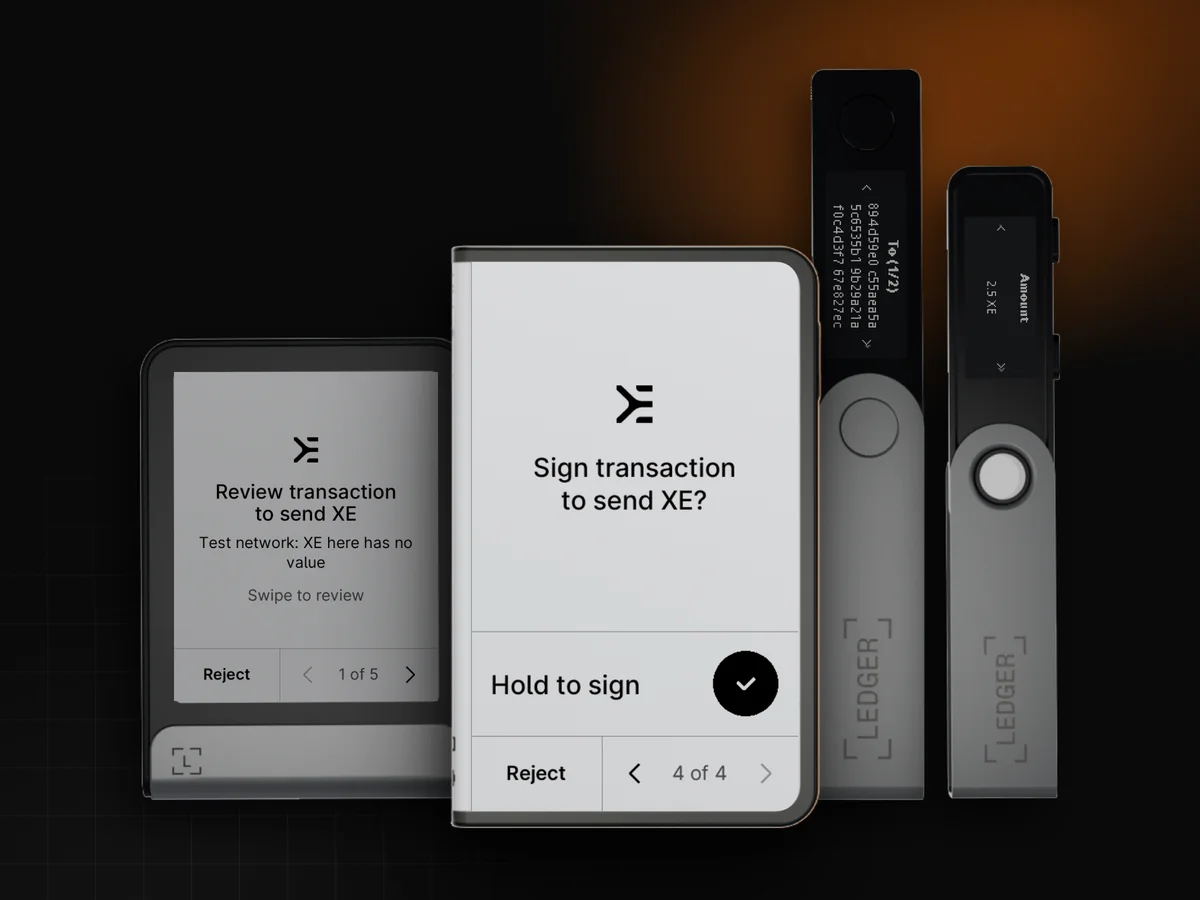
  5. Four Ledger devices showing the XE app's review of the same 2.5 XE payment, the Stax at its last page, Hold to sign.

    Ledger app

    Every detail on your Ledger’s screen before you sign.

    Best for savings, with the key in a dedicated chip.
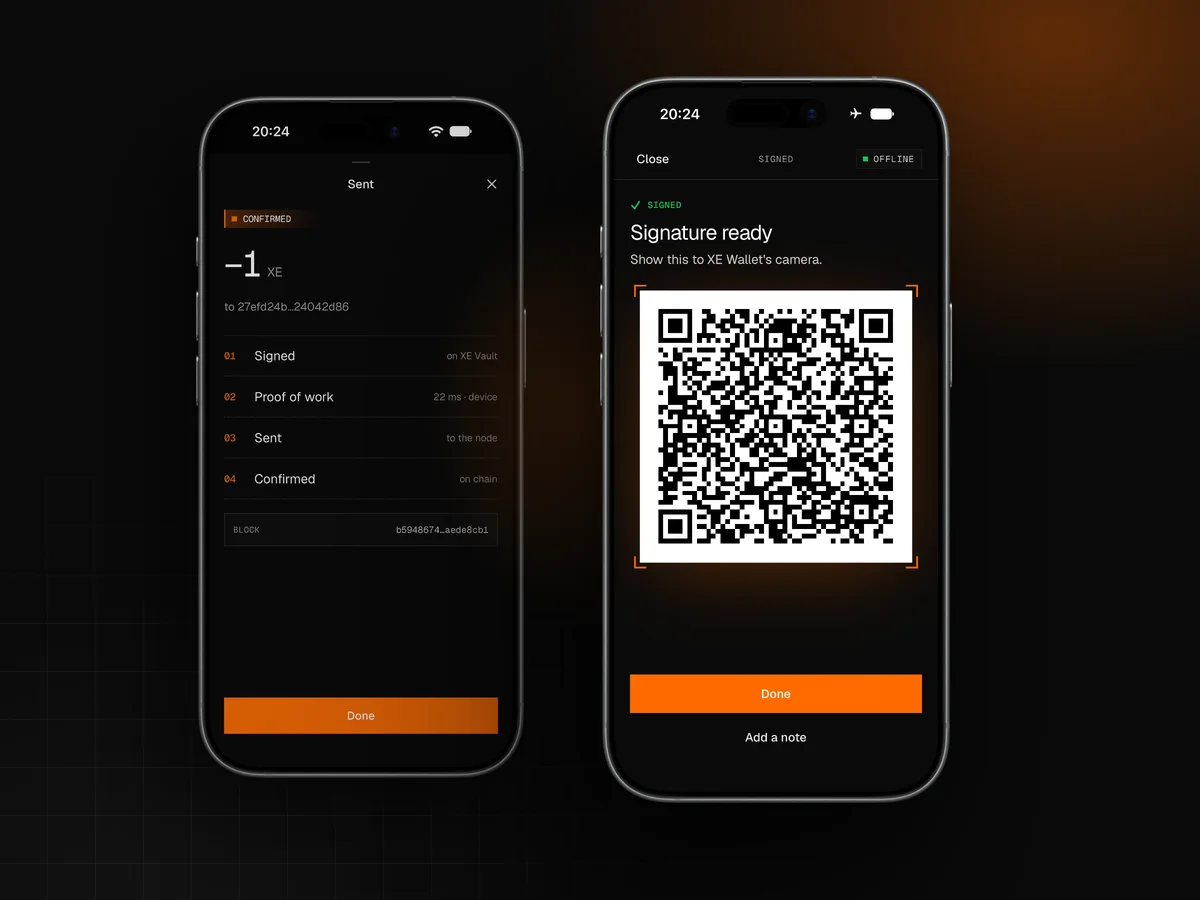
  6. Two iPhones apart: XE Wallet shows a payment request as a QR code; XE Vault, offline, shows that payment to sign.

    XE Vault

    Keys on a spare phone that never goes online.

    Best for savings, on a phone you already own.

Run and build

Run a node, build an app, let your AI pay, follow every payment, or have your say in how XE runs.
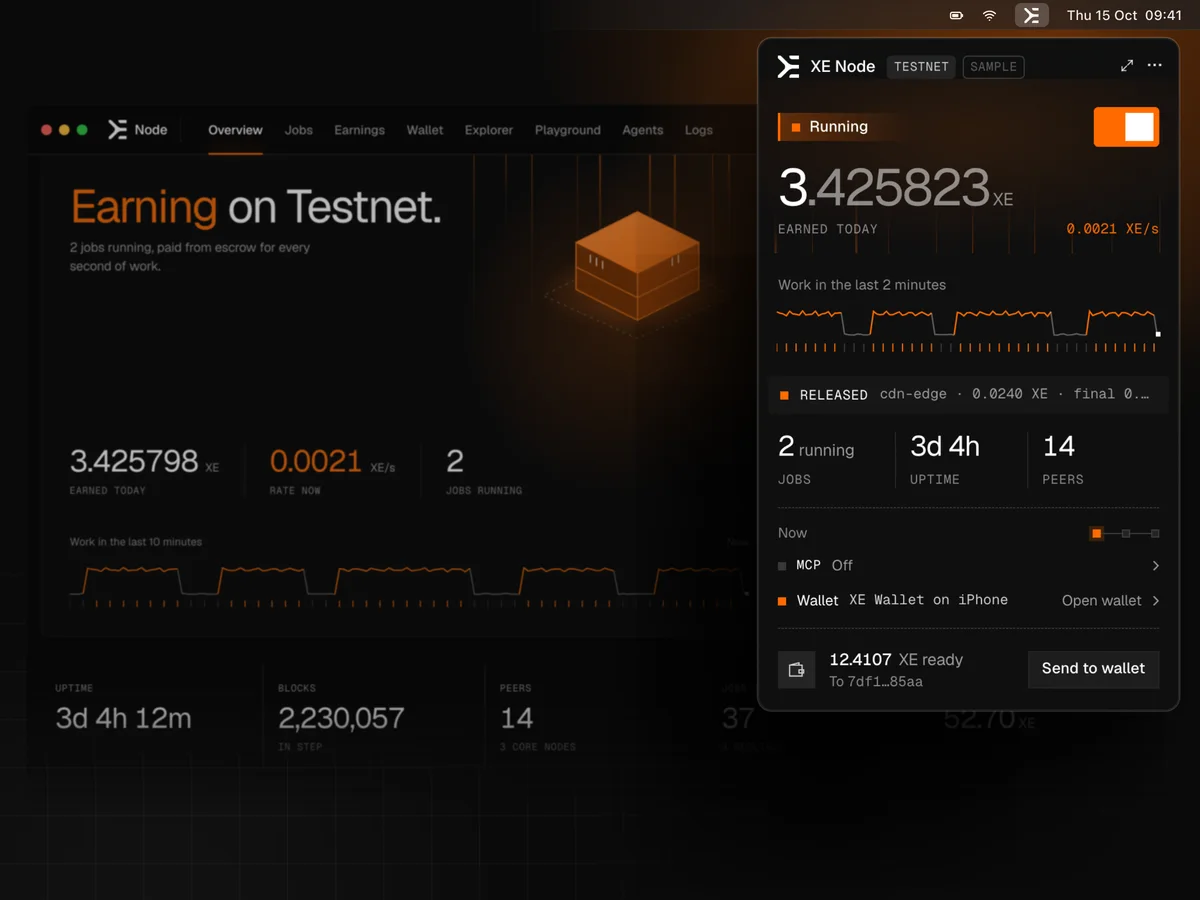
  1. XE Node on a Mac, with example data: its window, and the menu-bar popover.

    XE Node

    A preview of running an XE node from your Mac’s menu bar, with example data.

    Best for seeing how running a node will work.

  2. Three apps the AI Builder made, running on XE Sim: a pay-per-call gateway with 0.13 XE revenue, an agent market whose sellers earned XE, and a metered inference meter mid-completion; behind them, the Builder’s project view.

    AI Builder

    Describe an app; AI agents build it and it charges per call.

    Best for selling an API or a service.
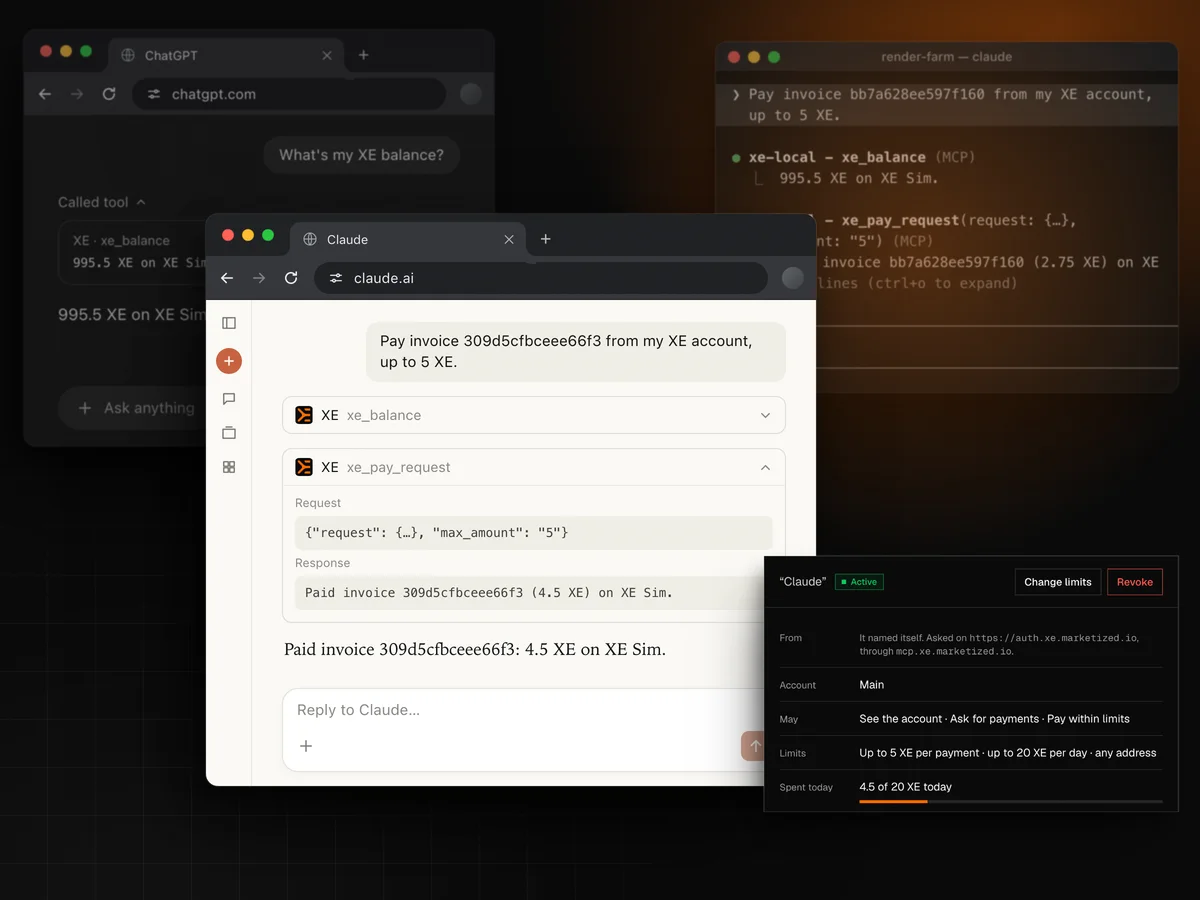
  3. Codex and Claude Code in terminals: one asks for 4.5 XE, the other pays it through XE MCP, within the limits shown in the wallet.

    XE MCP

    Claude, ChatGPT, Codex or Cursor connected to your wallet.

    Best for AI agents that buy data and tools, within limits.

  4. XE Explorer: an account's chain of sends and receives with their memos, in front of XE Sim's overview.

    XE Explorer

    Every block, account and payment on XE Sim and the testnet.

    Best for checking that a payment went through.
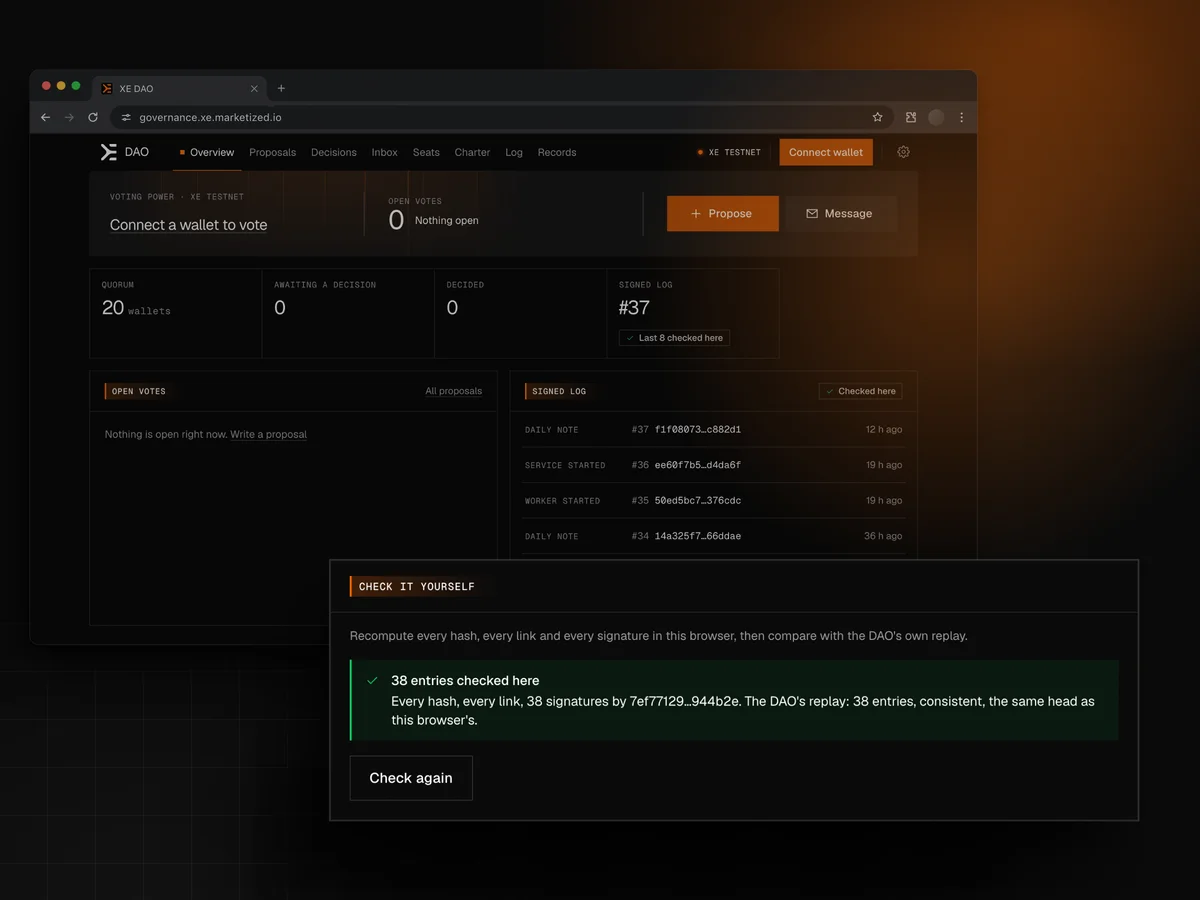
  5. The XE DAO's governance portal in a browser, set back; in front, its signed log checked in the browser: 38 entries, every hash, every link and every signature by the DAO's key.

    XE DAO

    Proposals, votes, the AI seats and the signed log, in one portal.

    Best for having your say in how XE runs.

Not sure?

Start from what you need

One recovery phrase works across the Web Wallet, the XE extension, XE Wallet, XE Vault and a Ledger.

XE Web Wallet

Use XE in a browser tab, with nothing to install.

XE apps run on XE Sim and the XE testnet. Test XE has no value.