XE Wallet for iPhone and Android
Pay and get paid from your phone. Give AI agents a daily limit, or have them ask first.
A beta for iPhone (iOS 17 and newer), on XE’s test network. Android is coming soon.

Set your agents a daily limit
Drag the limit and see which payments go through. On XE Sim, the network itself refuses anything over it; on the XE testnet, agents ask you instead.
Example: an agent’s payments over one day
- Weather data0.25 XEPaid
- Search API0.50 XEPaid
- Translation0.75 XEPaid
- Image render1.50 XERefused: over the limit
- Map tiles0.50 XEPaid
Spent today: 2.00 of 2.00 XE
Or have them ask first
With the AI Builder, an agent’s payment can wait in Approvals until you say yes. Each one shows who’s asking and how much.

Send, approve and vote
- 01
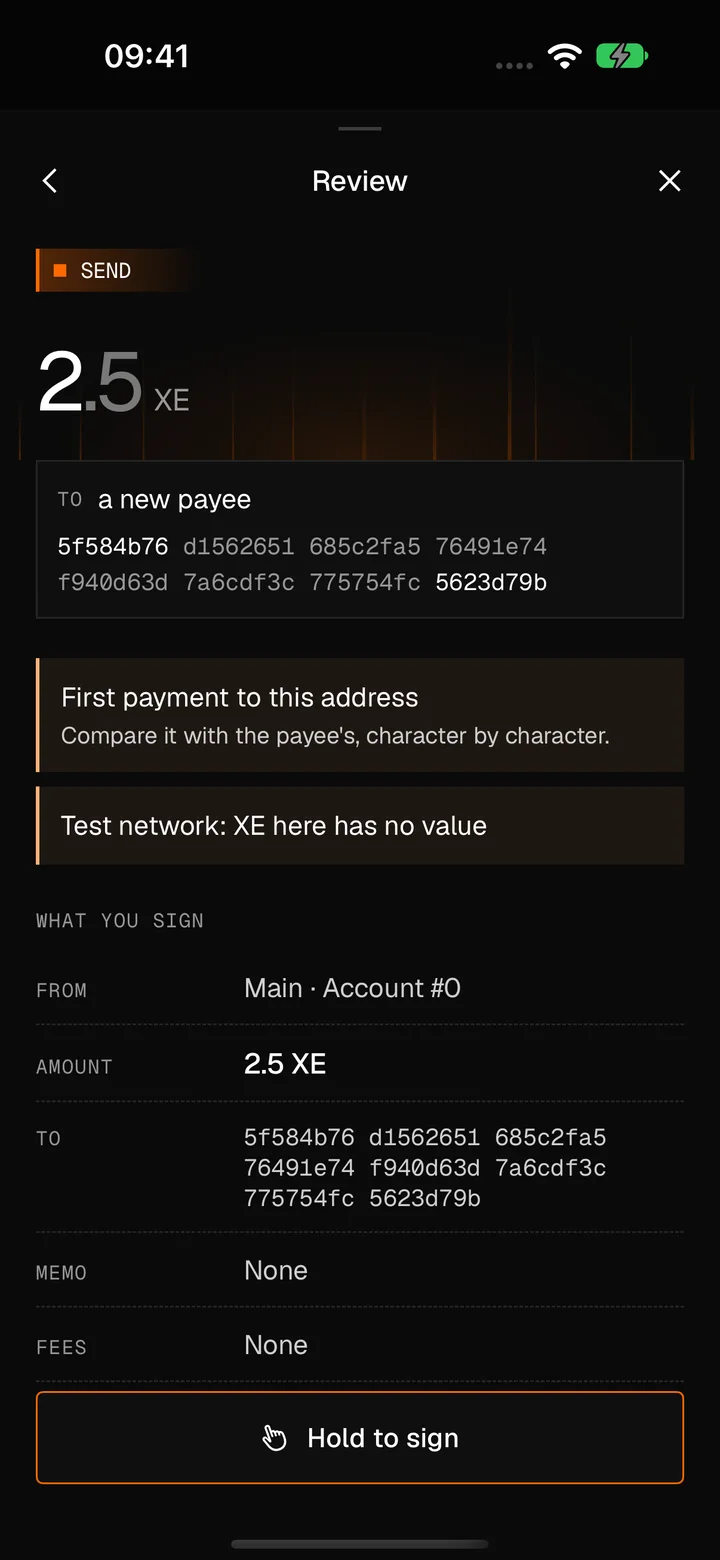
Check before you pay
The full address, the amount and your balance after. Paying an address for the first time? It warns you.
- 02
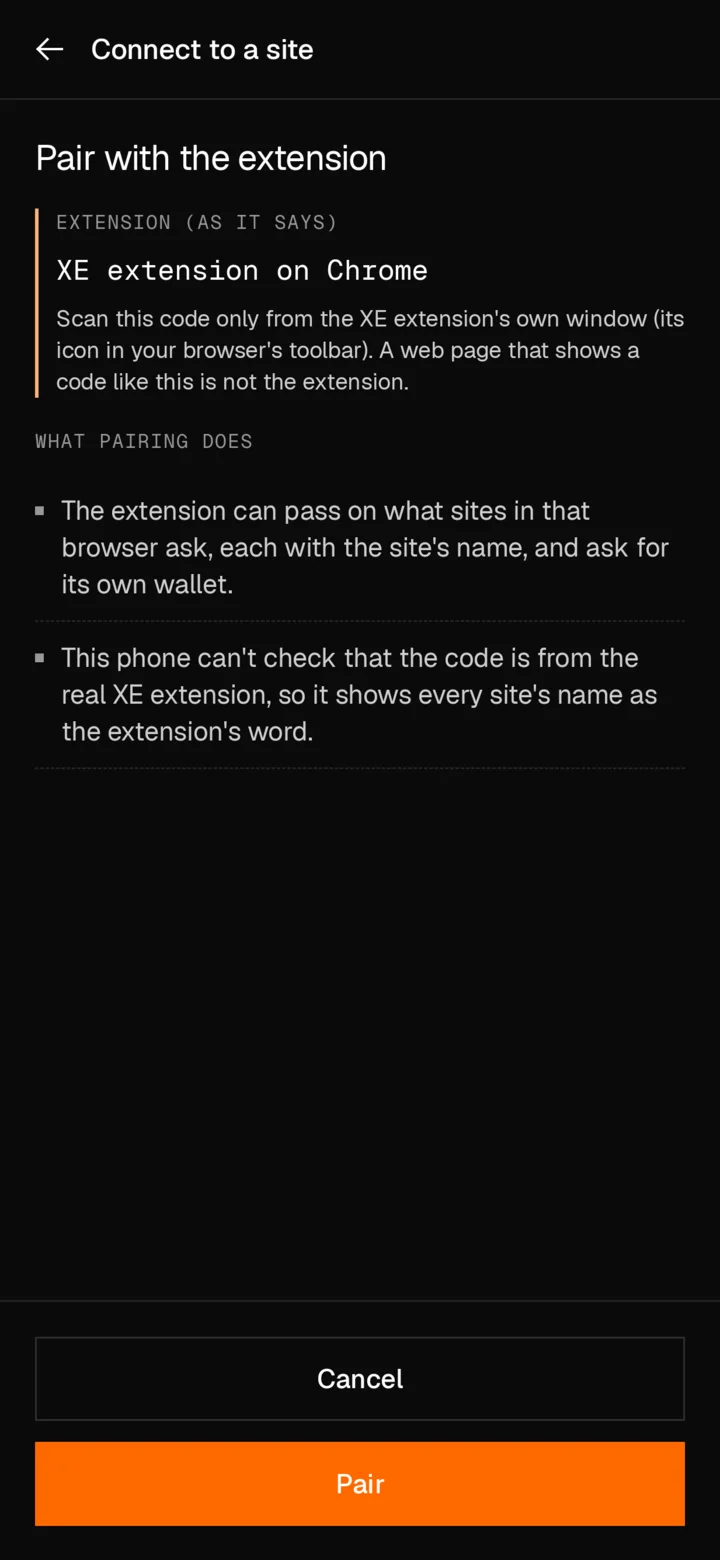
Approve your browser’s payments
Pair once with the XE extension or the Web Wallet, then approve each payment on your phone.
- 03
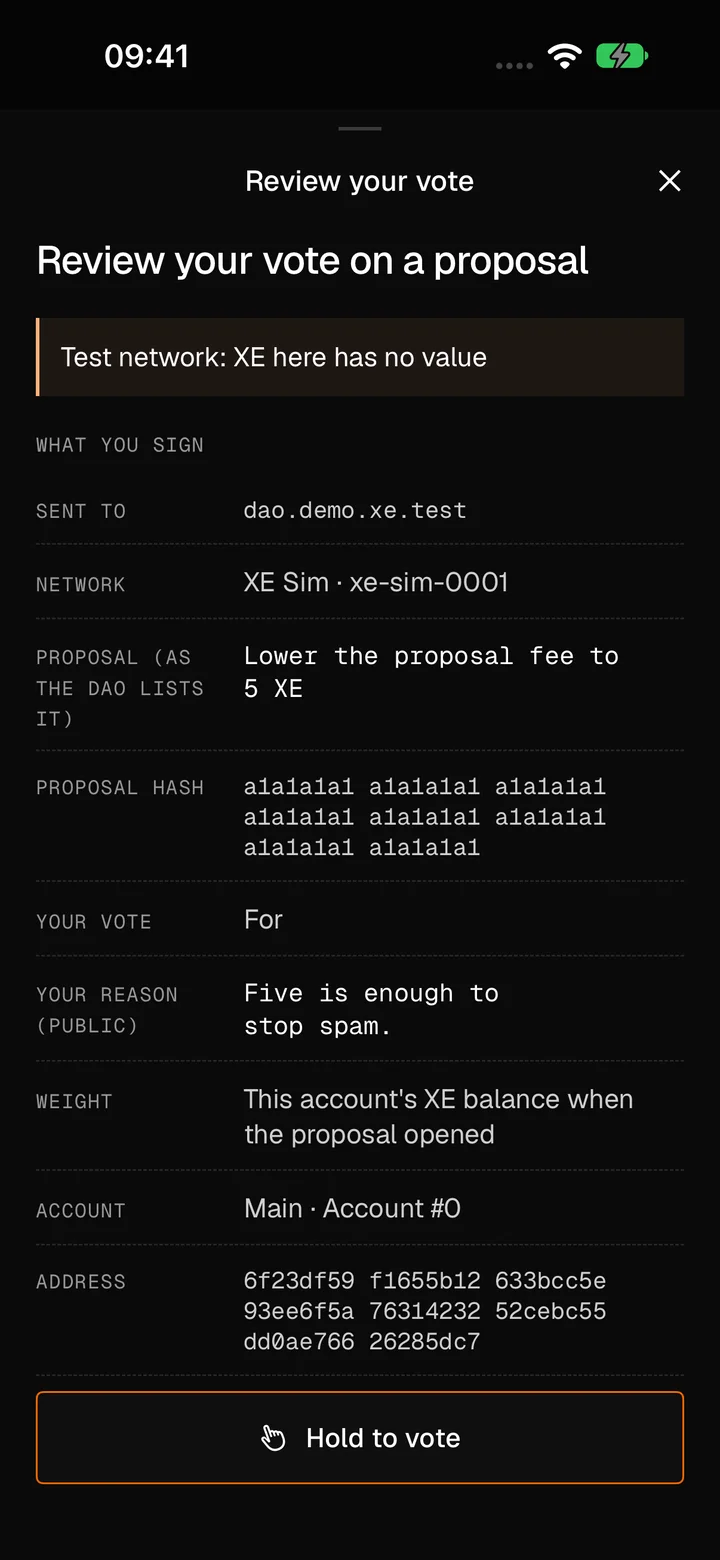
Vote in the XE DAO
Read proposals and vote. Each vote is checked and signed like a payment.


Your key never leaves your phone
- Encrypted by the phone’s secure chipYour recovery phrase is encrypted with a key held in the iPhone’s Secure Enclave or Android’s Keystore, and left out of backups.
- You approve every paymentHold the button, then Face ID, your fingerprint or your passcode.
- No trackingNo analytics. It only reads the network for your accounts.
Questions
Do I need an account?
No. Create a wallet and write down its recovery phrase, or enter the one you have.
Is it free?
Yes. Sending XE has no fees. Opening a proposal in the XE DAO takes 10 XE, returned if at least 20 wallets vote.
Can an agent spend more than I allowed?
No. On XE Sim the limit is part of the network, so a payment over it is refused. On the XE testnet, agents can only ask.
What if I lose my phone?
Restore your recovery phrase on another phone, in the Web Wallet or in the extension.
Found a problem?
Write to info@internml.com with what you did and what you expected.
XE apps run on XE Sim and the XE testnet. Test XE has no value. iPhone, Face ID and TestFlight are trademarks of Apple Inc., Android of Google LLC, Ledger of Ledger SAS. This site is not run or endorsed by any of them.
On iPhone now, Android soon
The iPhone beta runs on XE’s test network, on iOS 17 and newer. On Android, the Web Wallet works in any browser.